
A Private, Offline NotebookLM Alternative for Windows
See whether OriginPage fits as an offline NotebookLM alternative for Windows: search local files, limit questions to selected documents, and inspect claim-level evidence.
OriginPage has one clear job: help you find, compare, and verify information in documents that belong on your Windows PC.
Add PDF, DOCX, and TXT files to a Workspace. Search them directly when you need a passage. Ask a question when you need synthesis. Select the documents allowed to answer, then open the exact source passages behind supported claims.
Extraction, reviewed English OCR, indexing, retrieval, answer generation, and saved Conversations run locally. There is no cloud-model fallback and no account-dependent document workflow.
That makes OriginPage useful when the files are already known, the processing boundary matters, and a polished answer is not enough without evidence.
The job OriginPage is built to do
OriginPage is an installed evidence reader for Windows 11. It brings five related tasks into one workspace:
- organize a local set of documents;
- inspect what text was extracted;
- find relevant passages across files;
- ask scoped questions about those files; and
- verify factual claims against retained evidence.
It is not a general web-research studio. It does not discover sources from the internet, create audio or video overviews, provide mobile access, or coordinate a shared team notebook. If those are the job, a cloud research service may fit better.
OriginPage fits the different job where the source set is on one PC and the user needs to keep the path from question to source visible.
Keep document processing on the PC
An ordinary OriginPage document workflow does not send the document, extracted text, question, retrieved passages, answer, or saved evidence to a hosted AI provider. The app uses bundled local models and stores its managed document data inside the selected local Workspace.
This is more specific than saying a product is private or that uploaded files are not used for model training. The relevant question is where each processing step happens. The guide to what local document AI actually means traces that full path.
Local processing does not make the Windows device invulnerable. Administrators, malware, backups, other software, and anyone who can access the account may still reach local data. For sensitive work, use the confidential-document threat model before treating locality as sufficient protection.
Search PDFs, Word documents, and text files together
A review often starts with a mixed folder rather than one perfect PDF. A policy may be in DOCX, the signed agreement in PDF, and meeting notes in TXT.
OriginPage can place those formats in one Workspace and search across every ready Document. Direct Search supports exact phrase, keyword, semantic, and hybrid matching. Results retain the filename, page or section location, highlighted match, and surrounding source context.
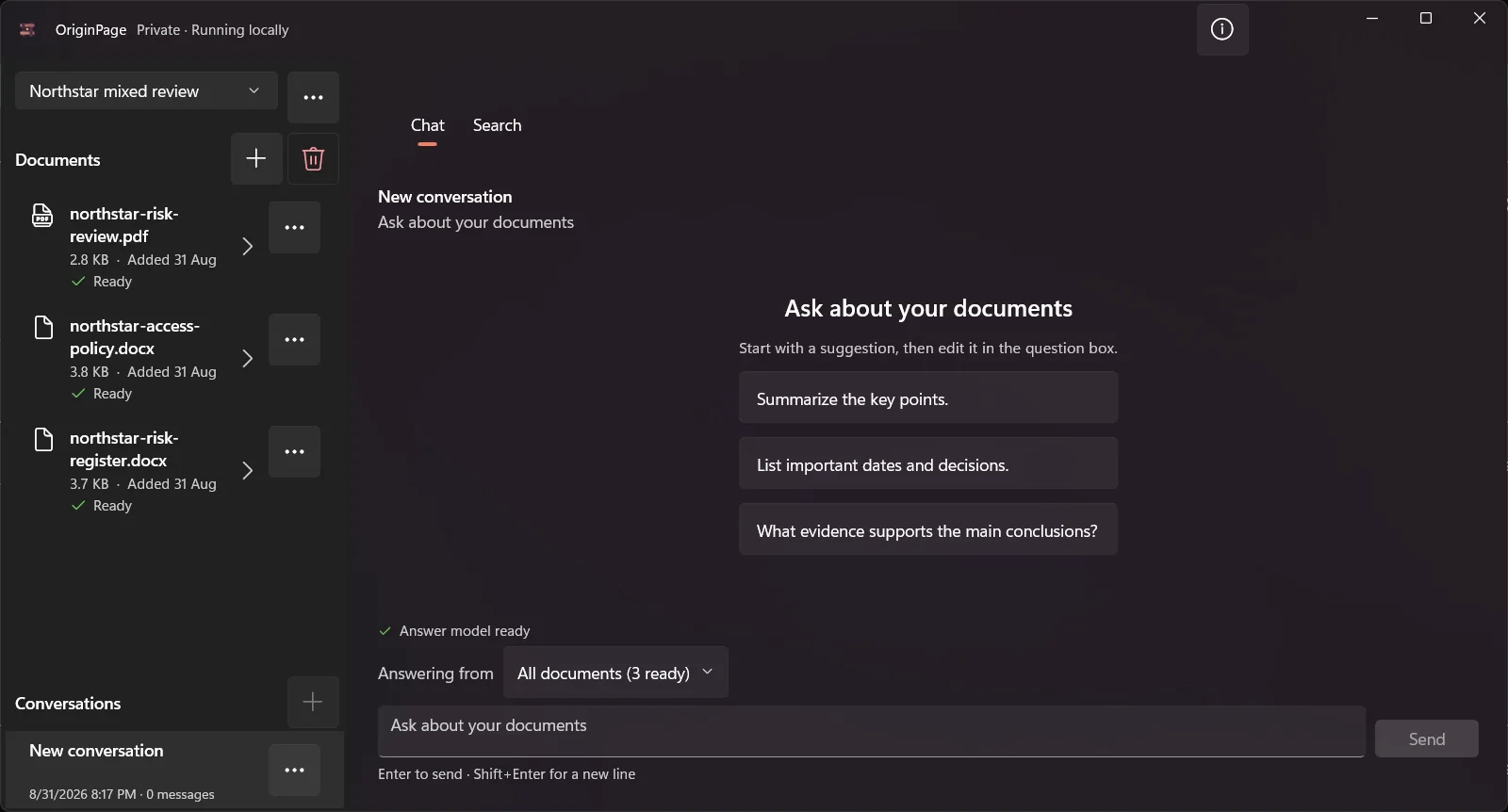
Use Direct Search when the task is literal: find a clause, date, name, phrase, or repeated term. Search avoids generation and lets you inspect the passages yourself.
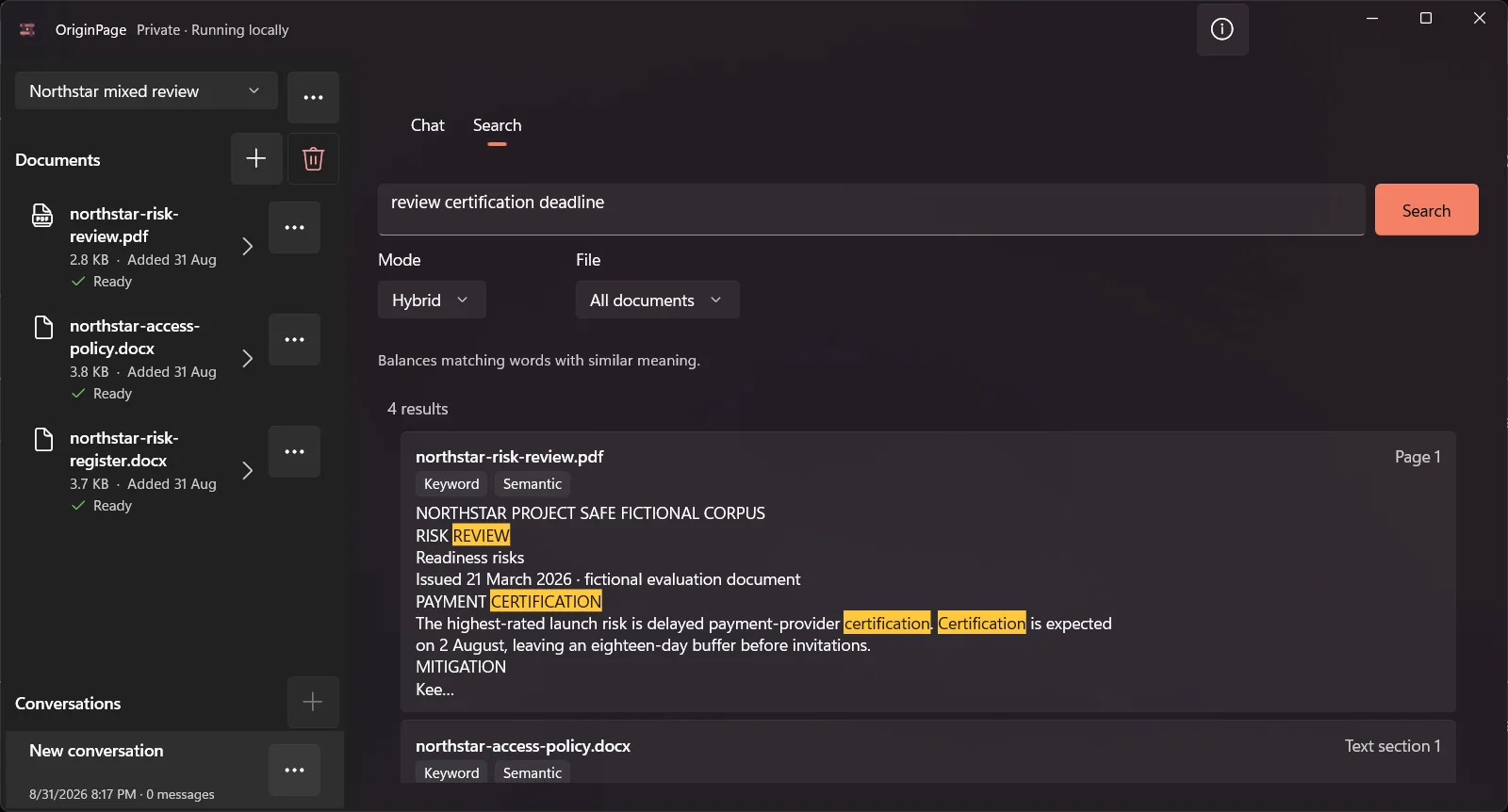
The guides to searching multiple PDFs and searching multiple Word documents show complete hands-on workflows.
Review scanned pages before relying on them
A scanned PDF is an image until optical character recognition produces text. That conversion can misread digits, punctuation, tables, and columns.
OriginPage performs English OCR locally and holds pages that require OCR for review. Approve a page only after checking the recognized text, or exclude it so the page cannot become evidence. A Document does not become ready for search and answers until every required review has been resolved.
This creates a useful separation:
- Ready means the document passed the ingestion workflow.
- It does not mean every extracted character is guaranteed correct.
The practical test in How to tell whether an AI tool actually read your PDF helps expose extraction failures before they become answer failures.
Ask only the documents that belong in the answer
A Workspace may contain drafts, amendments, reference material, and unrelated files. OriginPage lets you choose all ready Documents or a smaller selection for each question. That selection is saved with the question and answer.
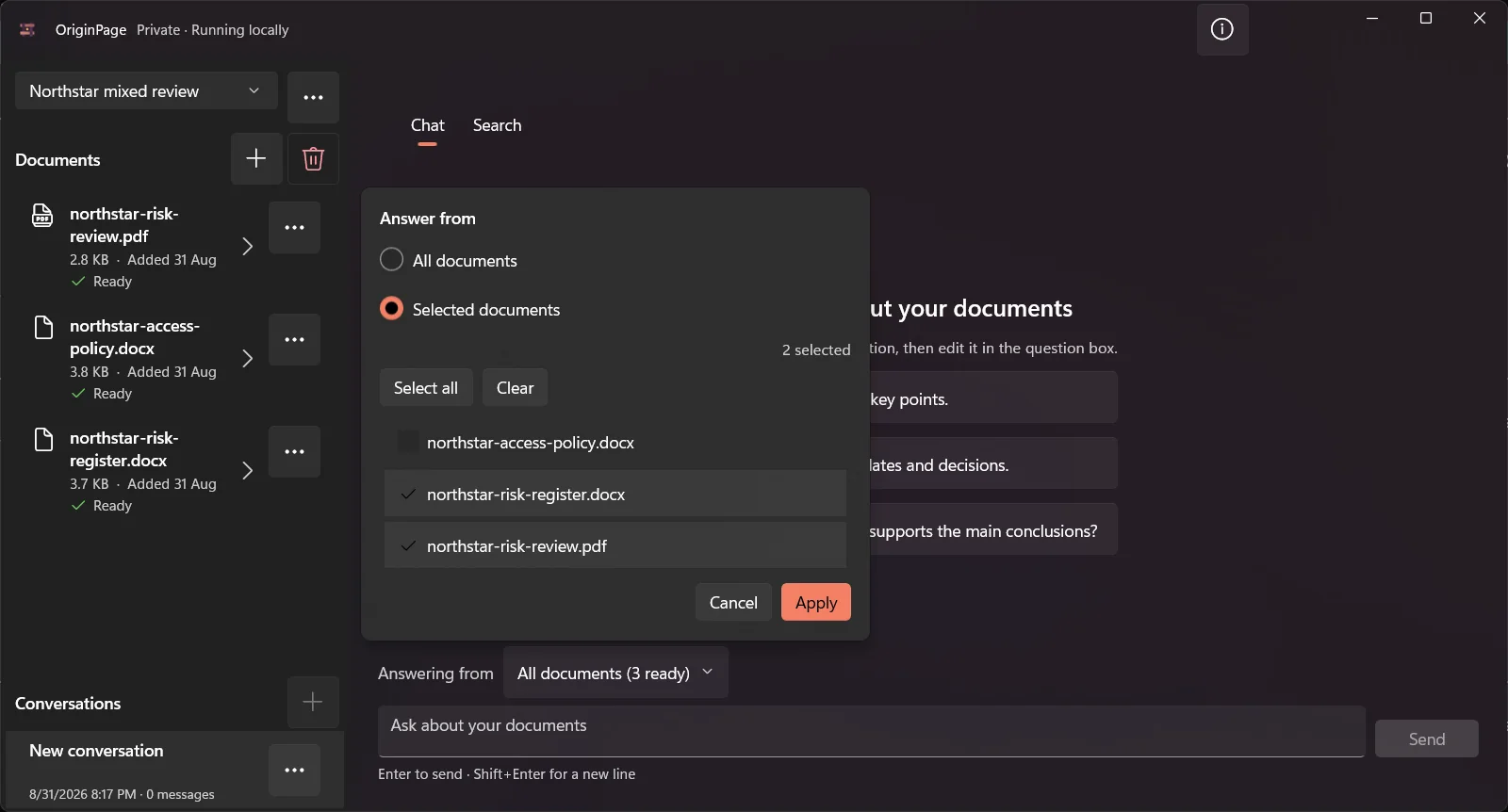
Scope is useful when comparing two contracts, reviewing one policy version, or keeping one client matter separate from another. It reduces accidental mixing, but it does not decide which document is authoritative. The user still has to resolve version, precedence, and trust.
For a worked example, read How to compare two contracts with AI without uploading them.
Verify the answer at claim level
Generated answers can sound confident even when a source is missing, ambiguous, or contradictory. OriginPage treats evidence as part of the answer rather than an optional footer.
Supported factual claims link to retained passages. Open a citation to inspect the passage, location, and nearby context. If the selected Documents do not establish an answer, the useful result is an explicit evidence limitation—not a guess filled from general knowledge.
A careful review loop is:
- read the answer for structure;
- open every citation supporting a material claim;
- check names, dates, quantities, exceptions, and qualifiers;
- search directly for contradictory wording; and
- revise the scope or question when the sources are incomplete.
The guides to finding contradictions and deciding when Ctrl+F beats AI cover the two most useful checks after generation.
Who OriginPage fits
OriginPage is a strong fit when most of these statements are true:
- the source documents already exist on a Windows 11 PC;
- PDF, DOCX, and TXT cover the working set;
- the files should not enter a cloud AI workflow;
- work must continue without an internet connection;
- reviewers need both direct search and generated answers;
- scanned PDF pages must be reviewed before use;
- each question needs an explicit document scope; and
- factual conclusions must be checked against exact passages.
Typical uses include contract and policy review, confidential report analysis, audit preparation, case or project research, and comparison across document versions.
Choose another tool when the work depends on web discovery, many source types, mobile use, collaboration, hosted frontier models, or generated media. The current article Does NotebookLM work offline? keeps the dated Gemini Notebook comparison and source links in one place.
Define success before the first question
For a small trial, choose one fact the files contain, one exception to that fact, and one question they cannot answer. Success means you can verify the fact and exception in source context and identify the unsupported question without inventing a result. Record extraction problems separately from answer problems. That gives you a more useful fit decision than whether the first response sounds polished.
A practical first session
Start with a disposable or non-sensitive set of files that contains known facts and one deliberate contradiction.
- Create a Workspace for that set.
- Add one PDF and one Word document.
- Resolve any OCR review and inspect the extracted text.
- Search for a phrase whose location you already know.
- Select the relevant Documents and ask a scoped question.
- Open every cited passage and compare the answer with the source.
- Remove one Document and confirm the remaining scope behaves as expected.
This tests the complete job: ingestion, search, scope, answer generation, evidence, and removal. It is more informative than judging the product from a single fluent response.
Review what OriginPage supports for current formats and operating limits. If that boundary fits your work, try OriginPage free for seven days through Microsoft Store. A one-time purchase is required to continue after the trial.
Method note
This article was consolidated and checked on September 20, 2026 against OriginPage’s shipping v1 capability guide and published privacy statement. The captures use fictional PDF and DOCX files on Windows 11. No customer or confidential data appears in them, and no comparative answer-quality benchmark is claimed.