
OriginPage vs Gemini Notebook: local review or cloud research?
Compare Gemini Notebook, formerly NotebookLM, with OriginPage by processing location, research needs, document scope, and source verification.
Gemini Notebook and OriginPage both help readers work with source material, but their processing paths and product scope differ. Choose based on the documents you may use, the research outputs you need, and how you will verify the result.
Naming and processing
Google renamed NotebookLM to Gemini Notebook in July 2026 and describes it as a standalone research product expanding across its ecosystem, including cloud-computer capabilities. Google announcement
For the specific offline question, see Does NotebookLM work offline?. Downloadable audio and on-device source processing are different capabilities.
Match the product to the task
| Your requirement | Starting point |
|---|---|
| Cloud research and the outputs Google documents | Evaluate Gemini Notebook’s current features and account limits. |
| Supported documents processed locally on Windows | Evaluate OriginPage’s fixed reading workflow. |
| A known phrase in one file | Try the document reader’s Find command first. |
| An answer that combines records | Test scope selection and inspect the supporting passages in either tool. |
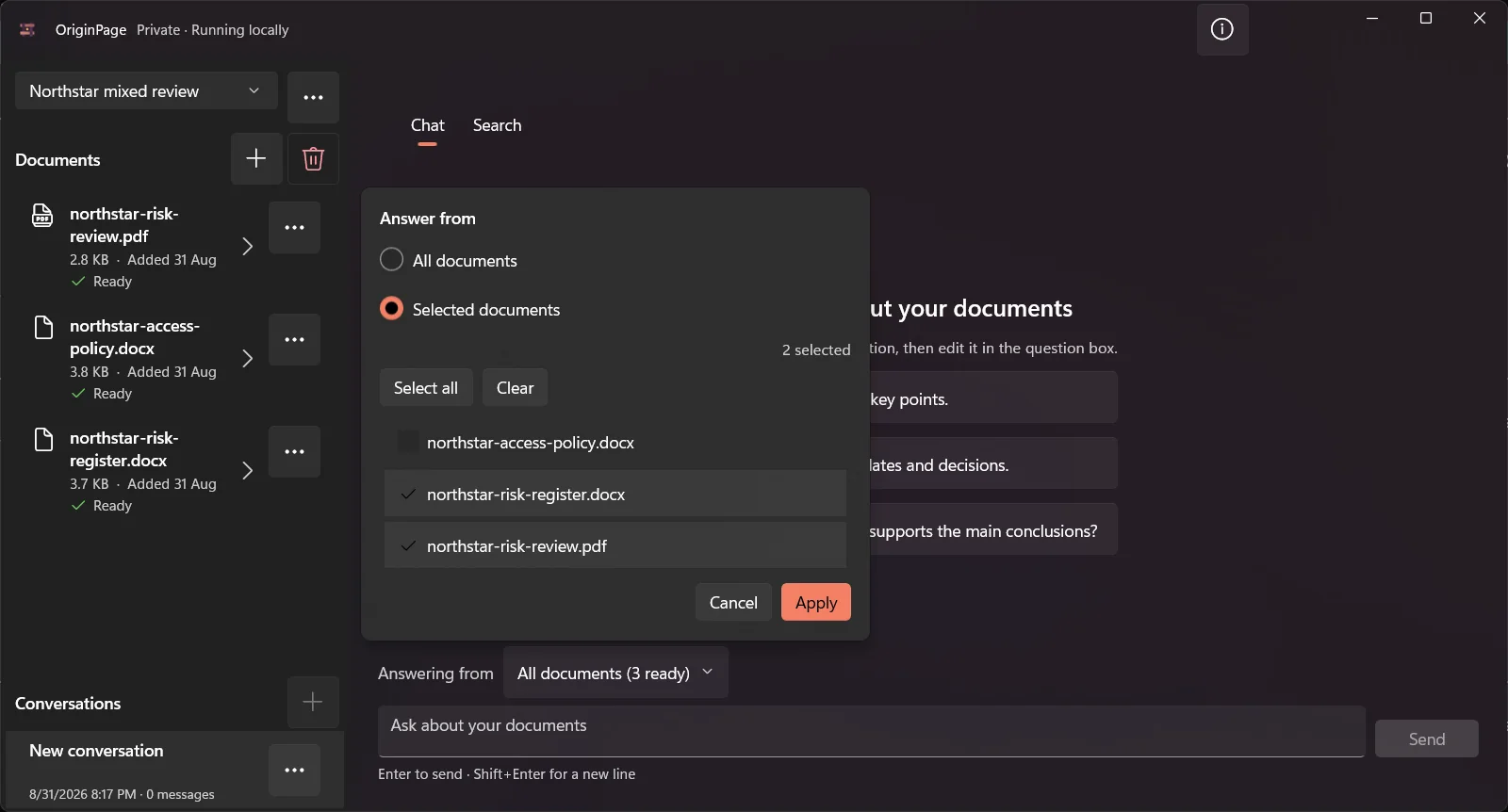
OriginPage takes a fixed approach: PDF, TXT, and supported DOCX import on Windows 11 x64, reviewed English OCR for PDFs, four Direct Search modes, per-question document selection, and retained evidence passages. It does not provide cloud collaboration, model switching, a server API, or a general agent platform. See the capability guide and privacy boundary.
Privacy is more than model training
Google’s terms distinguish ordinary use, feedback, qualifying work or school accounts, and data shared with other Google services. Check the terms for your actual account and workflow. “Not used for training” does not mean that processing happens on your laptop. Google privacy terms
OriginPage’s local processing avoids a document upload to an AI provider during ordinary use. It does not protect against every local administrator, compromised account, or backup exposure. The confidential-document threat model explains that distinction.
Compare answers without assuming a winner
Use two short records with different effective dates and one question that has no answer in either. Check which files were eligible, whether the response retains the dates, whether its evidence supports the conclusion, and whether it admits missing support.
This comparison does not establish that one product’s citations are always more precise, or that one model is immune to hallucination. Source navigation, extraction quality, and answer quality are related but different things to test.
When to choose each
Evaluate Gemini Notebook when the documented cloud research workflow fits your needs and your material is approved for that service. Evaluate OriginPage when on-device processing and its narrower Windows feature set fit the task. Use the first-session guide to check the latter with fictional files.
How this comparison was prepared
The OriginPage team publishes this article and sells OriginPage. We reviewed the linked first-party documentation on September 20, 2026. This is a documentation-based comparison, not a hands-on benchmark. Screenshots illustrate OriginPage only. We have not measured comparative speed, memory use, extraction quality, or answer accuracy. A feature not established by a source is a question to test, not proof that the feature is absent.
Use the fictional PDF reading test with each candidate. Check one known fact, an exception, a scanned page, and a question the files cannot answer. Record the version, model, settings, source returned, and any misses before choosing a tool.