
Organize M&A document review locally on Windows
Create a version-aware diligence issue list from local contracts and disclosures, with source attribution, defined scope, and follow-up questions for advisers.
A local document reader can help a diligence team find clauses and compare statements without uploading the selected files to an AI service. It cannot determine whether a transaction is sound, replace a data room, or establish that all material risks have been found.
The practical output is a verified issue list: a specific question, the documents behind it, the conflicting or missing evidence, and the adviser or business owner who must respond.
Establish the review perimeter
Use copies you are authorized to process under the transaction’s access rules. Preserve the data-room index, original filenames, version dates, and document identifiers outside the AI workflow. Import supported PDF, TXT, or DOCX files; a converted spreadsheet is not a substitute for reviewing its formulas and underlying workbook.
Separate executed agreements, amendments, drafts, management statements, and counsel notes. A draft provision is not an executed obligation, and a management summary does not necessarily override a contract clause.
Begin with one diligence question
For example: “Which selected customer agreements require consent for a change of control?” Search for change of control, assignment, and consent, then inspect definitions and exceptions. Semantic search can help find alternate wording, but it does not guarantee complete clause coverage.
Check extracted text before relying on results. Scanned signatures, schedules, tables, and handwritten annotations may require direct review of the original. Ready status means the ingestion step completed; it is not a completeness certificate.
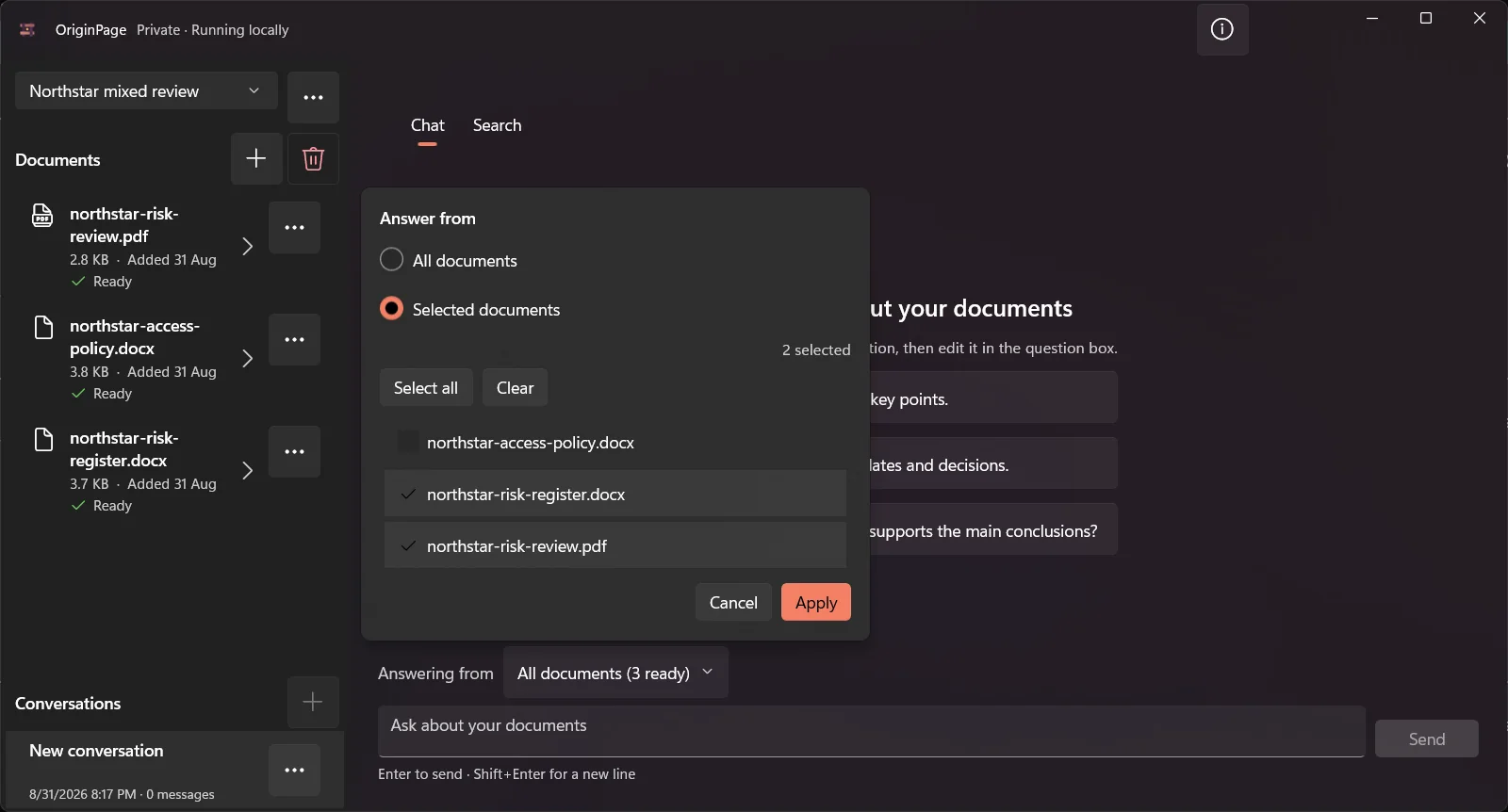
The screenshot illustrates selecting a limited document set. It does not show an actual transaction or prove that an entire data room was reviewed.
Ask for an attributed comparison
Select the agreement and its relevant amendment before asking:
Identify the assignment and change-of-control provisions in these selected documents. Compare the triggering event, consent requirement, exceptions, and amendment language. Cite the supporting passages and mark unresolved points. Do not decide legal enforceability.
If another document makes a different claim, expand scope deliberately and compare it as a separate source. Avoid feeding all deal materials into one question and assuming that the answer distinguishes authority correctly.
| Issue-list field | Example of the needed detail |
|---|---|
| Question | Whether this transaction triggers the stated consent clause |
| Documents | Executed agreement and specifically identified amendment |
| Evidence | Clause wording and original page or section locator |
| Uncertainty | Missing schedule, undefined trigger, or conflicting statement |
| Follow-up | Named reviewer and the document or clarification requested |
This is a suggested editorial worksheet, not an automatic OriginPage report. Verify every row before sharing it and keep conclusions within the responsible adviser’s review.
Keep financial and legal work connected to originals
A narrative comparison can flag a changed reserve assumption or a contract inconsistency. It does not audit financial statements, calculate valuation, or establish compliance. Reconcile numbers in the original schedules and approved analysis tools, retaining units, dates, and whether the amount is a balance, flow, estimate, or contingent item.
For practice, the financial disclosure exercise uses clearly fictional records. The two-contract walkthrough shows how to separate governing language from an operational memo.
Apply the transaction’s retention and device controls
Local processing removes one provider-upload path. It does not encrypt the workspace automatically, isolate it from all other Windows processes, or delete backups when a document is removed. Keep exported notes in the approved transaction system and follow the retention or return requirements that actually govern the matter.
Use the confidential-document threat model to review those boundaries before importing sensitive deal materials.