
OriginPage vs AnythingLLM and LM Studio: choose a document workflow
Compare documented setup, local processing, model choice, and source review in OriginPage, AnythingLLM Desktop, and LM Studio.
All three products can support document work on your own computer. The useful choice is how much control you need over models and integrations, how you want to organize documents, and how you will verify an answer.
The documented starting points
| Product | Starting point | Decision to make |
|---|---|---|
| AnythingLLM Desktop | A desktop installation with a built-in local stack and configurable providers. | Whether its workspace and provider choices suit your workflow. |
| LM Studio | Download a model in the desktop app and attach supported documents. | Which model and runtime fit your device and work. |
| OriginPage | Install a fixed document reader with bundled models. | Whether its supported formats and fixed feature set cover the job. |
AnythingLLM’s desktop edition does not require a Docker deployment. Its documentation describes local defaults as well as configurable providers; a particular configuration determines the processing path. Desktop overview
LM Studio documents offline document chat after the required models are downloaded. It can include a short document directly in context or retrieve portions of longer files. Model downloads and update checks are separate network activities. Document chat, offline operation
Compare the decisions you actually need to make
OriginPage takes a fixed approach: PDF, TXT, and supported DOCX import on Windows 11 x64, reviewed English OCR for PDFs, four Direct Search modes, per-question document selection, and retained evidence passages. It does not provide cloud collaboration, model switching, a server API, or a general agent platform. See the capability guide and privacy boundary.
Model choice can be useful when you need a language, hardware profile, or behavior that a fixed product does not provide. It also gives you another variable to record when evaluating outputs. Bundling a model reduces setup decisions; it is not evidence that its answers are more accurate.
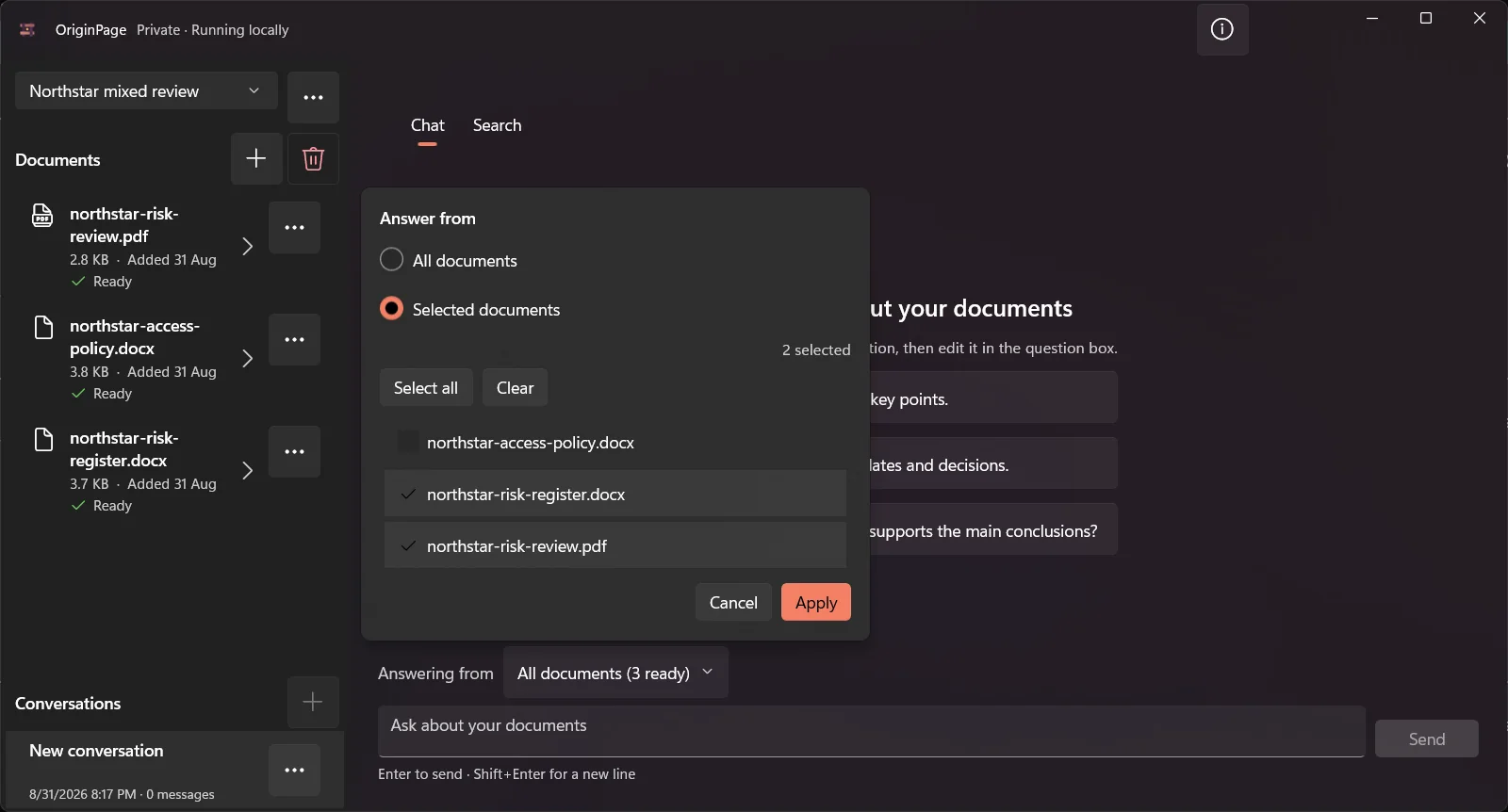
Before comparing source displays, ask the same narrow question of the same files. Open the supporting passage in each tool and inspect the trigger, exception, and document version. Do not rank citation quality by a badge’s appearance or assume that a retrieved chunk is inherently unreliable.
A practical choice
- Evaluate AnythingLLM Desktop when configurable workspaces and providers matter to your process.
- Evaluate LM Studio when model experimentation and a local model runtime are central to your work.
- Evaluate OriginPage when you want the fixed Windows document workflow described above and accept its format and feature limits.
If all you need is one known clause, try ordinary document search first. For OriginPage’s non-generative workflow, see searching multiple PDFs.
How this comparison was prepared
The OriginPage team publishes this article and sells OriginPage. We reviewed the linked first-party documentation on September 20, 2026. This is a documentation-based comparison, not a hands-on benchmark. Screenshots illustrate OriginPage only. We have not measured comparative speed, memory use, extraction quality, or answer accuracy. A feature not established by a source is a question to test, not proof that the feature is absent.
Use the fictional PDF reading test with each candidate. Check one known fact, an exception, a scanned page, and a question the files cannot answer. Record the version, model, settings, source returned, and any misses before choosing a tool.