
Is NotebookLM safe for confidential documents? Check the account and data path
Understand Gemini Notebook privacy terms, feedback handling, and organizational controls before uploading confidential documents. Includes a practical review checklist.
Whether you may use NotebookLM for confidential documents depends on the data, the account, and your organization’s approval. Neither “cloud” nor “local” is a complete confidentiality assessment.
Google renamed NotebookLM to Gemini Notebook in July 2026. This article uses the familiar name where it helps readers find the guidance. The policy references were checked on September 20, 2026; verify the terms that apply when you use the service.
What Google’s privacy statement actually says
Google’s Gemini Notebook privacy guidance distinguishes ordinary use, feedback, and protected organizational accounts. It says notebook data is not directly used to train foundation models unless feedback is provided. Personal-account feedback can include associated sources, prompts, and outputs; reviewed feedback may be retained for up to three years. Qualifying Workspace and Education use has different protections, including no human review or foundation-model training even when feedback is submitted.
That does not mean every paid account has identical terms. Confirm the exact service entitlement with your administrator. Also check policies for connected services separately.
Uploading and training are separate decisions
An uploaded source is processed by a hosted service even where the provider promises not to use it for foundation-model training. That can be acceptable under an approved agreement. It can also conflict with a specific restriction on processing location, external access, or third-party hosting.
Avoid relying on assumptions about a provider’s GPU hardware, undocumented retention periods, or an old model name. The decision should rest on the current service documentation and the agreement that governs your account.
| Before uploading | Establish this |
|---|---|
| Data owner | Who can authorize this use and which classification applies? |
| Account | Is this the approved organizational service or a personal account? |
| Processing | Which location, access, retention, and deletion terms apply? |
| Feedback and sharing | Could sources be included in feedback or shared with other people? |
| Agreement | Does the contract permit this processor and this purpose? |
| Output | Where will summaries, exports, and copied passages be stored? |
An NDA or professional obligation does not automatically ban every cloud service. Healthcare, legal, financial, and export-controlled material each need their own review. For example, HHS describes conditions for cloud use under HIPAA, including appropriate agreements and safeguards; local processing alone is not HIPAA compliance.
What changes when you process locally?
OriginPage performs document extraction, search, and inference on the Windows PC. This avoids an AI-provider upload for those operations. It does not make the entire PC air-gapped, activate disk encryption, or prevent a synchronized folder or another application from transmitting a copy. Windows installation and updates are distinct from document processing.
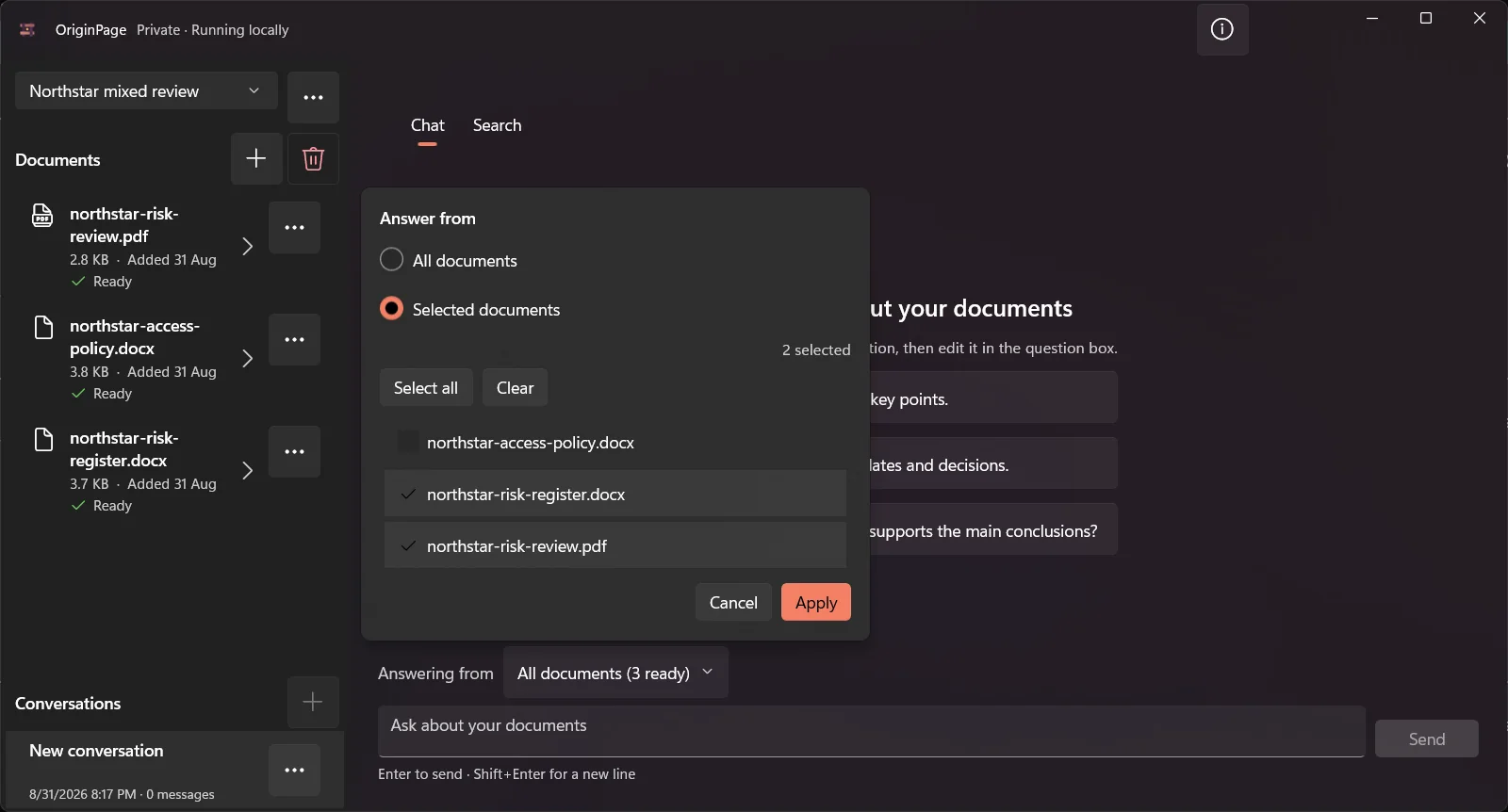
The screenshot illustrates document selection, not a network inspection or security certification. A workspace limits the application’s chosen collection; it is not an operating-system boundary against another process running as the same user.
Make an approval decision you can explain
Start with the permitted processing environment. If the approved cloud service fits, record the account and policy that make it acceptable. If files must remain on a managed endpoint, evaluate the local application alongside endpoint controls and retention requirements. If neither environment meets the requirements, stop before importing the files.
Then evaluate answer quality separately: use a small authorized sample, ask a question with a known answer, and inspect the supporting passages. A suitable data path does not guarantee a correct summary.
For the offline feature question, see Does NotebookLM work offline?. For local-device responsibilities, use our confidential-document threat model.