
OriginPage, MemoRay, Archivist, and LocalRAG: what to compare
Compare OriginPage, MemoRay, Archivist, and LocalRAG on document intake, source review, scanned text, model setup, and licensing before testing with your own files.
Local document tools differ in intake, source review, model configuration, and commercial terms. Those differences are more useful than labeling one “professional” and another “casual.” This guide identifies documented choices and the behavior that still needs testing.
Documented options
| Product | Vendor describes | Check before choosing |
|---|---|---|
| MemoRay | Windows local document search and answers with sources; PDF, DOCX, and image intake. | Founder Access availability and licensing network requirements. |
| Archivist | Local collections, cited answers, and audio transcription on Windows. | Base-version features versus the optional paid model capability. |
| LocalRAG | Folder-based document chat, source passages, OCR-ready files, and retrieval settings. | Your exact build, model setup, and document handling. |
| OriginPage | Fixed Windows reader, reviewed PDF OCR, selected-document questions, and Direct Search. | Format limits, English OCR, and lack of team features. |
MemoRay’s page distinguishes local document processing from license validation, updates, and optional support submissions. It also distinguishes protection of saved copies from extracted text and indexes. That is more specific than simply calling its storage “encrypted.” MemoRay product and privacy details
Archivist currently describes a free base version and an optional one-time model upgrade. Check the vendor’s current offer for the models and features you need. Archivist product page
LocalRAG documents source passages, model and retrieval controls, and a free/community offering. Test how its selected configuration handles unsupported questions with your own source material. LocalRAG
Evaluate source review consistently
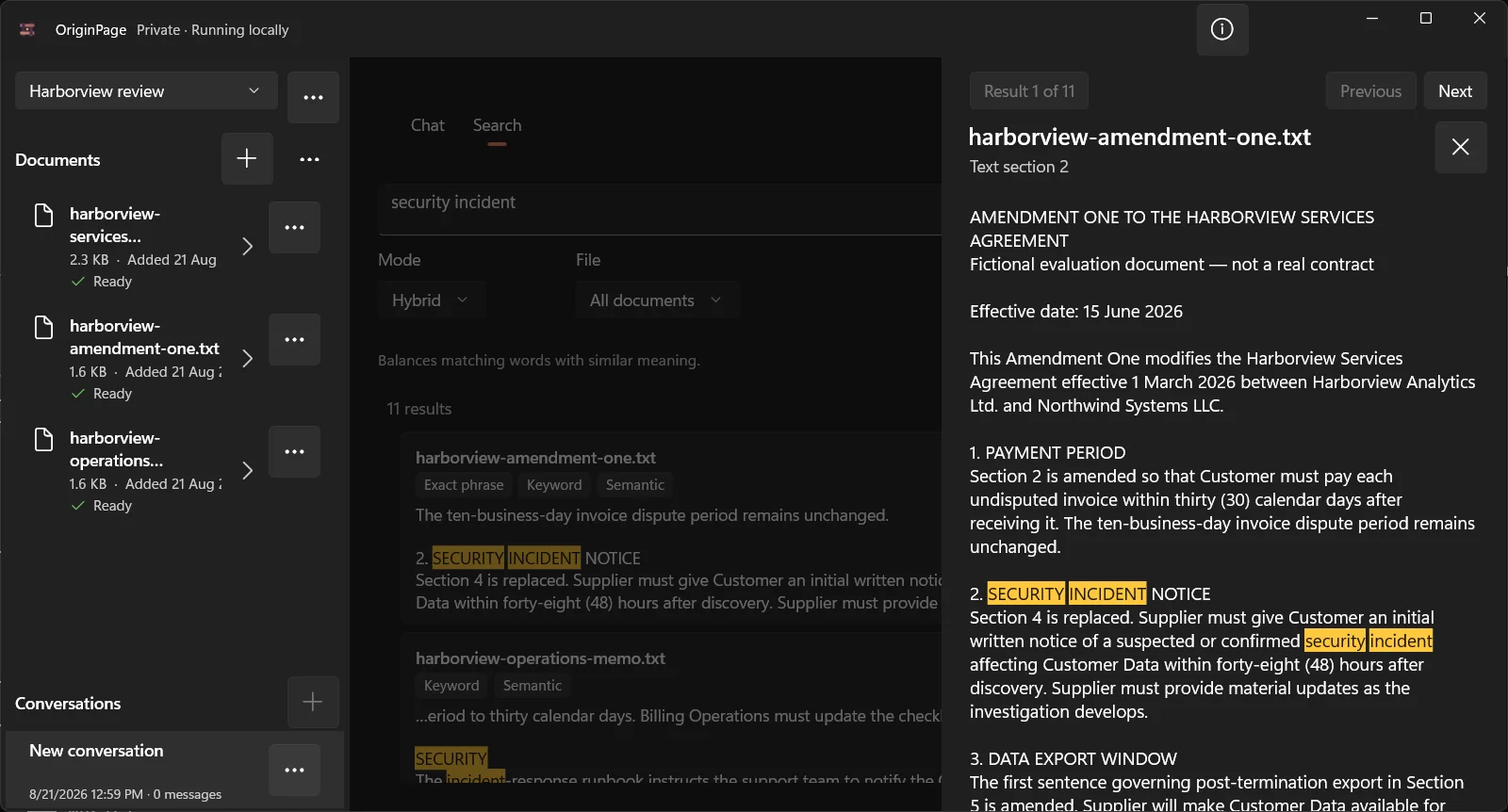
In every candidate, open a result containing a number, negation, or exception. Confirm the document identity and inspect enough surrounding text to interpret it. Then try a question that requires evidence from two records. A screenshot of a citation control is not a quality benchmark.
Keep product fit separate from security assessment
OriginPage takes a fixed approach: PDF, TXT, and supported DOCX import on Windows 11 x64, reviewed English OCR for PDFs, four Direct Search modes, per-question document selection, and retained evidence passages. It does not provide cloud collaboration, model switching, a server API, or a general agent platform. See the capability guide and privacy boundary.
For all four products, ask where managed files, extracted text, indexes, conversations, and backups live. Check whether a model download, activation, or update needs connectivity. Avoid equating local processing with physical air-gapping, application encryption, or legal compliance.
Purchase and availability
Follow each vendor’s current terms and checkout rather than relying on an old price table. Verify what the license includes, whether access is limited, and whether subscriptions or model services add costs. For OriginPage, use its Microsoft Store listing.
How this comparison was prepared
The OriginPage team publishes this article and sells OriginPage. We reviewed the linked first-party documentation on September 20, 2026. This is a documentation-based comparison, not a hands-on benchmark. Screenshots illustrate OriginPage only. We have not measured comparative speed, memory use, extraction quality, or answer accuracy. A feature not established by a source is a question to test, not proof that the feature is absent.
Use the fictional PDF reading test with each candidate. Check one known fact, an exception, a scanned page, and a question the files cannot answer. Record the version, model, settings, source returned, and any misses before choosing a tool.