
Long context or retrieval? How to evaluate document answers
Compare long-context and retrieval workflows by source coverage, evidence inspection, and failure modes rather than token counts or unsupported speed claims.
A large context window gives a model room to receive more text. Retrieval selects a smaller set of passages to send to a model. Both can support useful document work, and both can miss the evidence needed for a particular answer.
The useful question is not which architecture always wins. It is whether your workflow finds the relevant material, preserves its qualifiers, and lets you verify the final claim.
Capacity is not a reading guarantee
A context limit describes how much input a model can accept under particular conditions. It does not establish that every sentence received equal attention or that the system included every page of an uploaded document. Extraction, file limits, source selection, and model behavior also matter.
The research paper Lost in the Middle found position-sensitive performance in its tested long-context tasks and models. Those findings motivate careful evaluation; they are not a universal failure percentage for every current model. Subsequent work such as Found in the Middle studies ways to improve use of context. Sources checked September 20, 2026.
Retrieval has a different failure mode
Retrieval reduces the material presented for a question. That can make evidence easier to inspect and keep irrelevant files out of a comparison. But a relevant exception may never reach the model if the search misses it, the chunk boundary separates it, or the selected scope excludes its document.
| Approach | Useful when | Check this failure mode |
|---|---|---|
| Long context | The task needs broad context across material that fits the available input | A distant exception or intermediate section may be overlooked |
| Retrieval | A question has identifiable evidence within a larger collection | The necessary passage may not be selected |
| Direct Search and source reading | You need to locate an identifier, phrase, or clause yourself | Wording changes and extraction errors may hide a match |
These approaches can be combined. A product may retrieve from a collection and then use a long-context model; the labels alone do not tell you what happened to your files.
Use a test that separates the stages
Choose a short corpus with a known answer and one qualifying exception. Put the exception in a different section or document from the main rule. Keep a written answer key before running the tools.
- Confirm that the relevant text was extracted correctly.
- Ask the same precise question in each tool, using equivalent source scope.
- Check whether the answer states both the rule and the exception.
- Open its citations and check that the passages support the actual wording.
- Search directly for the exception if the answer missed it.
- Record the files, model or settings where available, date, and unresolved failures.
If the exception exists in extraction but not in retrieved results, investigate retrieval. If it was supplied to the model but omitted or distorted, investigate answer generation. If it was never extracted, changing the prompt may not help.
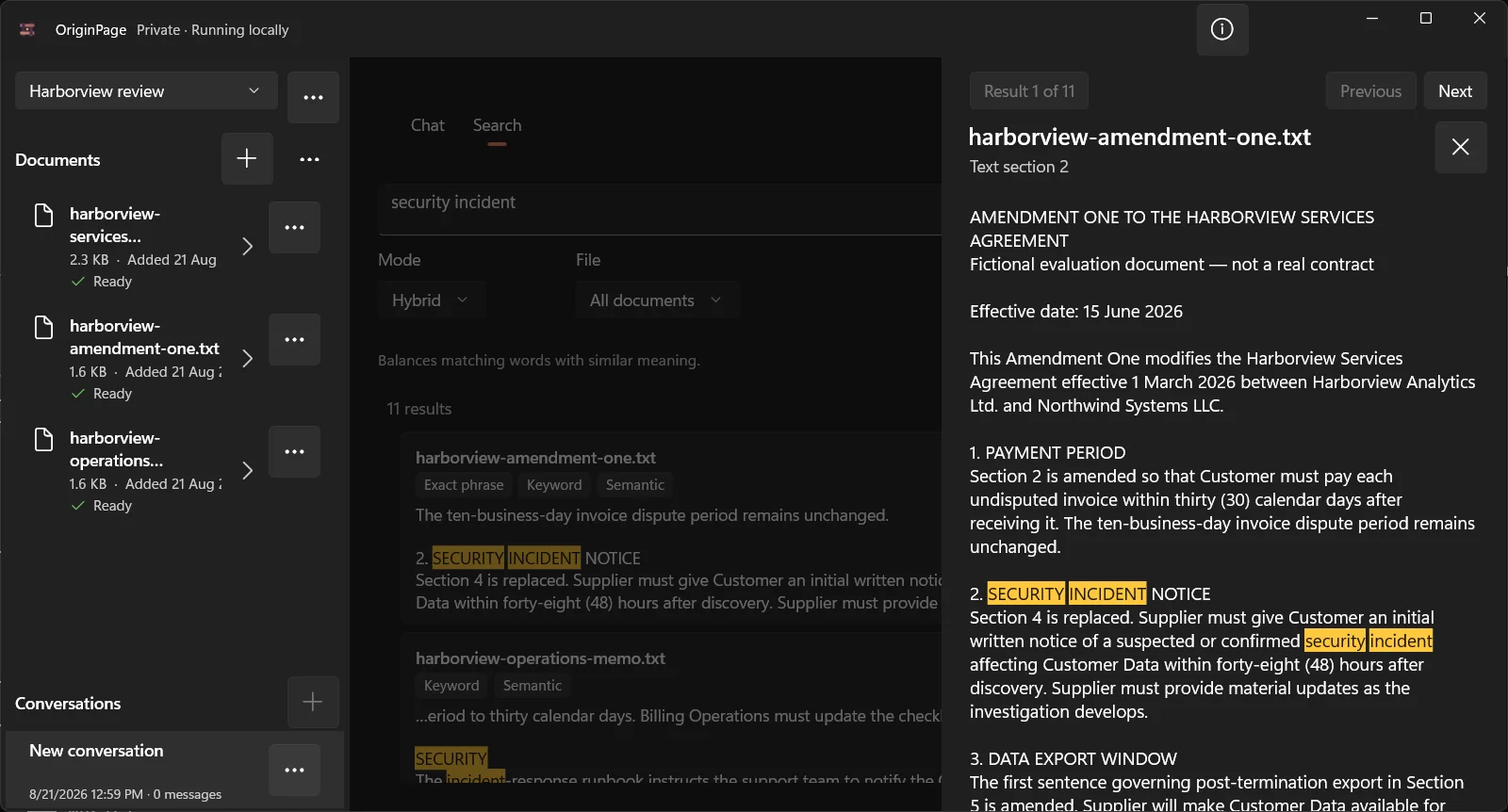
OriginPage exposes retained passages for inspection and offers Direct Search alongside questions. That supports investigation; it does not prove retrieval completeness or make all generated claims correct. The figure is an interface example, not a benchmark against a long-context model.
Report outcomes without false precision
For a small document task, record answer completeness, unsupported claims, citation support, and the time you spent checking. If you measure performance, identify the hardware, model, corpus, warm-up, and repeated runs. This article reports no latency, memory, or accuracy benchmark.
Our PDF reading test provides a small practice file. Use it to learn the verification method, then design a test representative of your own authorized documents. A five-question exercise cannot establish reliability across a profession or document collection.