
Compare SOPs and compliance policies across departments offline
Build a version-aware policy comparison: distinguish governing rules from departmental procedures, inspect source passages, and assign unresolved differences.
A policy discrepancy is useful only when you can explain which documents disagree, whether they apply to the same situation, and who must resolve the difference. Asking an AI to “find all compliance gaps” skips those decisions.
Use local search to build a focused comparison, then have the responsible policy owners review it. OriginPage can help locate and compare text; it does not determine compliance or know which policy has authority unless the records establish it.
Start with an inventory, not a broad question
Collect authorized copies of the central policy, departmental procedures, and relevant amendments. Record each document’s owner, effective date, version, covered population, and approval status. Separate a proposed revision from a current procedure even when their filenames look similar.
For example, suppose a fictional central access policy requires approval before access is granted, while a team procedure says to obtain approval within two business days afterward. That is a candidate difference, not yet a finding. Check whether the procedure concerns emergency access and whether the policy includes an emergency exception.
Search the rule and its exception
Import PDF, TXT, or DOCX copies and check extraction. Use keyword or exact-phrase search for distinctive terms such as temporary access, approval, and the named approving role. Use semantic or hybrid search to look for paraphrases, then inspect the retained text.
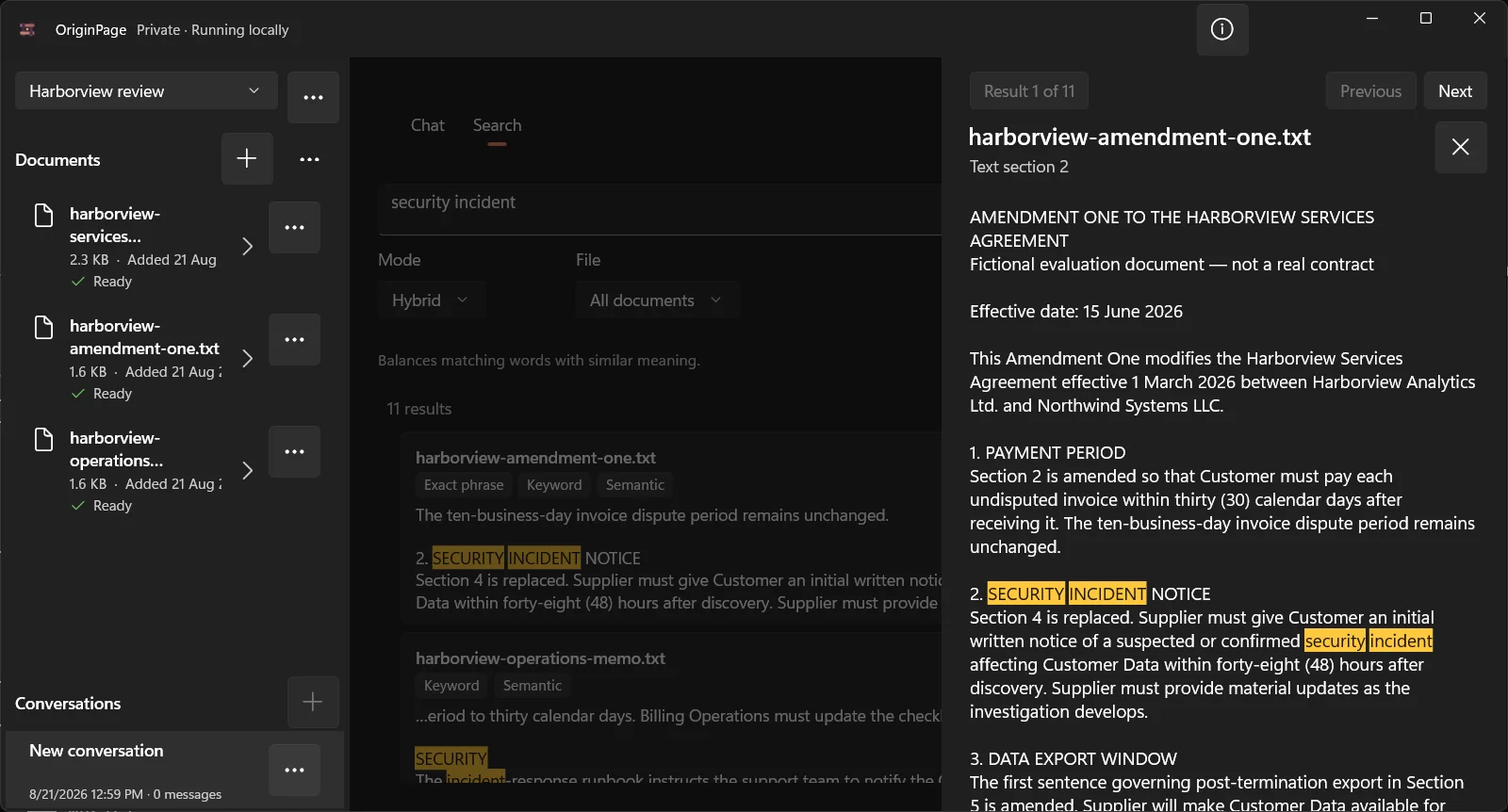
The Harborview screenshot illustrates passage inspection using a contract amendment. It is not a screenshot of the fictional access-policy example. The same inspection step helps establish whether a policy sentence is qualified by nearby text.
Compare one requirement at a time
Select the central policy and one departmental procedure in Question Scope. Ask:
Compare when temporary access may begin and who must approve it. Attribute each requirement to its document and effective date. Include stated exceptions. Identify what remains unclear; do not decide which document governs without supporting text.
Repeat for retention, incident notification, review frequency, or another specific requirement. Broad summaries tend to collapse different roles and triggering events into a single sentence. A narrow comparison makes those omissions easier to catch.
| Register column | Why it matters |
|---|---|
| Requirement and trigger | “After discovery” differs from “after confirmation” |
| Central rule and source | Preserves the original wording |
| Departmental rule and source | Makes attribution explicit |
| Scope or exception | May explain an apparent difference |
| Owner and disposition | Separates analysis from an approved change |
Maintain this register in your normal review process. It is an editorial work product you verify, not a built-in guarantee that the application found every inconsistency.
Resolve differences without inventing authority
Classify each row as aligned, potentially inconsistent, superseded, or unresolved. Treat those labels as reviewer judgments. A later date alone does not prove that a memo overrides an approved policy; an amendment’s applicability may be limited to a particular team or period.
For unresolved rows, preserve both passages and ask the owner a concrete question, such as whether emergency access is the intended exception. Record the approved resolution and update the controlled document through the organization’s normal change process.
Local processing can avoid sending this corpus to an AI service. It does not enforce records retention, certify a control, or replace access controls and endpoint management. See the local-document threat model.
To practice with downloadable records, use the vendor report and MSA exercise. It compares different notification triggers without treating every wording difference as a breach.