
AI, client confidentiality, and privilege: reviewing documents locally
Assess AI document tools against client confidentiality, source verification, and device controls. Local processing reduces one exposure; it does not guarantee privilege.
Local document processing can remove the need to send client materials to an AI provider. It cannot establish attorney-client privilege, prevent every disclosure, or decide whether a particular use is ethically permitted. Those questions depend on the matter, applicable law, client instructions, and the system actually deployed.
This guide is about organizing a review workflow, not an opinion on waiver. It is written by the OriginPage team; the interface illustrations use fictional documents.
Separate confidentiality, privilege, and accuracy
These are different review questions. Confidentiality concerns how information is handled. Privilege concerns whether particular communications receive legal protection. Accuracy concerns whether a statement in the work product is supported. A local tool may help with the first without resolving the other two.
The ABA’s explanation of Formal Opinion 512 discusses competence, confidentiality, communication, and informed consent where required. It does not establish a universal rule that cloud AI waives privilege or that local AI preserves it. Check the applicable jurisdiction and the tool’s terms with the person responsible for the matter. Source checked September 20, 2026.
Review the actual data path
For a hosted service, identify the account, processing locations, retention, access, training terms, feedback behavior, and contractual protections. A no-training commitment addresses one use of data; it does not describe the entire service. Do not assume all providers have the same retention period or send information without transport encryption.
For a local application, inspect device access, disk encryption, backups, endpoint monitoring, synchronized folders, and exported work product. OriginPage runs document extraction, retrieval, and model inference locally. Its workspaces organize matters inside the application; they are not separate Windows security principals. The app does not enable BitLocker or secure every copy of a file. See the practical threat model.
Build a review you can retrace
- Create a matter workspace and inventory the authorized files and versions.
- Import supported PDF, TXT, or DOCX copies. Wait for Ready and inspect extracted text. For a scanned PDF, review OCR carefully; approval is not a guarantee of transcription accuracy.
- Use Direct Search for names, dates, clause terms, and exhibit identifiers before asking for synthesis.
- Select only the documents relevant to the comparison. Keep witness statements, counsel notes, and governing instruments distinguishable.
- Ask for attributed propositions, unresolved differences, and evidence for each row.
- Open the retained passage and verify the original exhibit before incorporating the proposition into legal work.
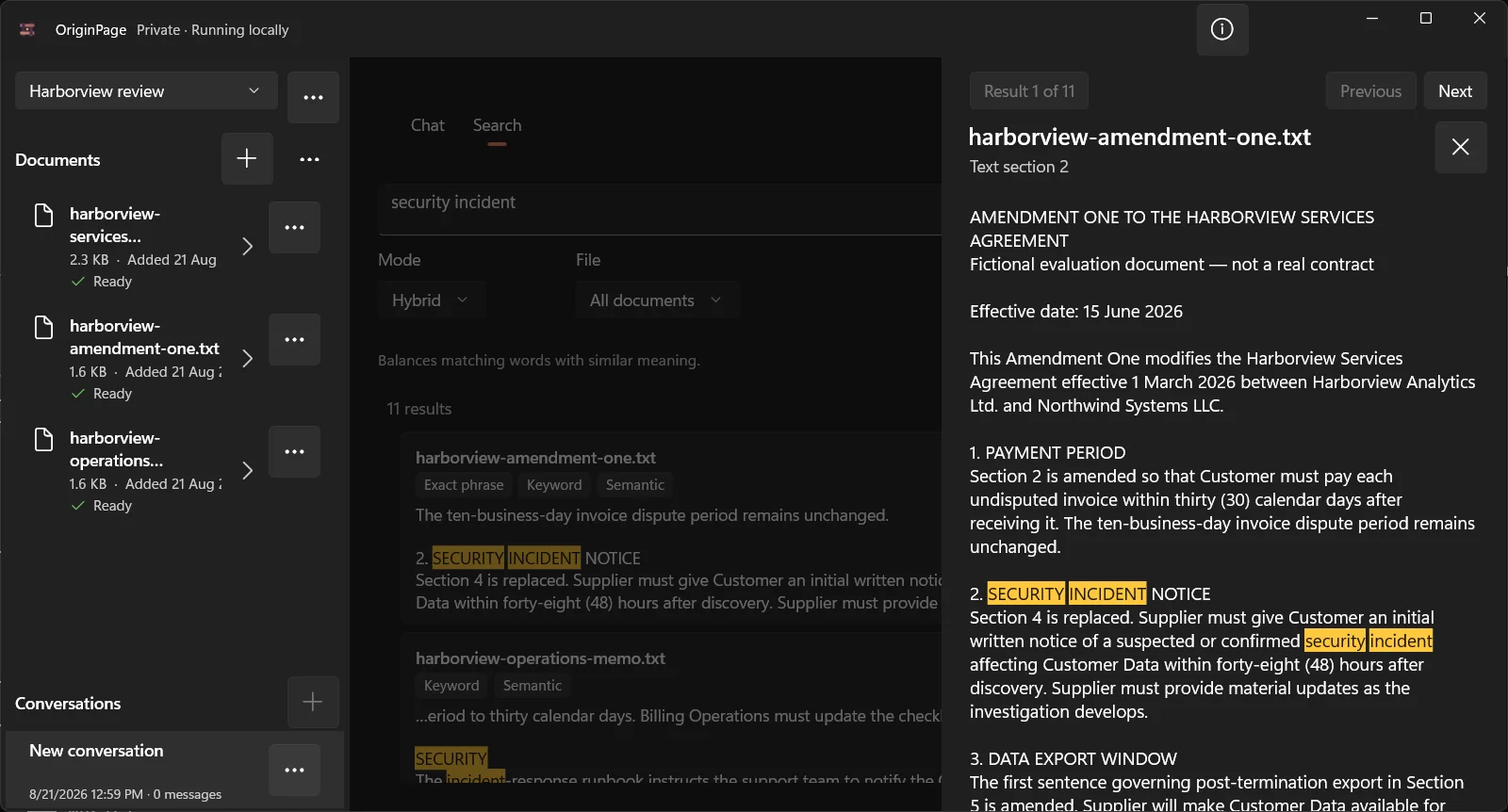
For a transcript question, a useful prompt is:
Compare the two selected witnesses’ accounts of when the warning was first reported. Attribute each statement, retain the stated time and uncertainty, and identify questions for follow-up. Do not decide credibility. Do not invent transcript page or line references.
TXT offsets and DOCX source context are not certified transcript locations. Preserve official page-and-line references separately. A statement that no passage was found is a search result, not proof that the event was never discussed.
Keep a small evidence register
| Review item | What to record |
|---|---|
| Proposition | A narrow statement that can be checked independently |
| Attribution | Who said it and in which version of the record |
| Evidence | Original exhibit locator plus the supporting language |
| Qualification | Exceptions, uncertainty, or conflicting testimony |
| Review | Who verified it and what remains unresolved |
Keep that register in your approved matter system. OriginPage does not replace a privilege review platform, evidence repository, or legal hold process. Removing a workspace is not secure erasure and does not remove backups or original files outside the app.
Try the fictional deposition exercise to practice attribution before using an approved tool with real matter data.