
Compare workplace investigation records without cloud uploads
Use a fictional case file to separate allegations, witness accounts, and email evidence while building a source-linked investigation chronology.
A useful investigation chronology distinguishes an allegation from a witness account and both from a contemporaneous record. Local document search can help find those records; it cannot decide credibility, misconduct, or privilege.
The question this exercise answers
Project Orion concerns an invented procurement dispute. The key question is when the purchase was approved, who described a committee decision, and what the email archive actually supports. Avoid asking for a verdict about any person.
Download the fictional records
Download the separate records as a ZIP, extract it, and import the TXT files individually:
- Record 1: Ethics & compliance anonymous hotline intake report
- Record 2: Investigation interview memorandum — witness a
- Record 3: Investigation interview memorandum — witness b
- Record 4: Corroborating electronic evidence — email archive
The combined reading copy remains available. Import either the separate files or the combined copy, not both. Question Scope selects whole imported Documents; headings such as “Record 1” inside a single TXT file cannot be selected independently. Use the separate files for this walkthrough.
These are fictional teaching records, including any future dates, statute references, and professional opinions. They are not authentic filings, standards, advice, or a benchmark of OriginPage’s answer quality.
Locate the passages before asking for a comparison
Create a separate Workspace for the exercise. Import the individual records and wait for each to show Ready. Open Document details and check the retained text. These TXT exercises do not demonstrate PDF layout extraction or OCR.
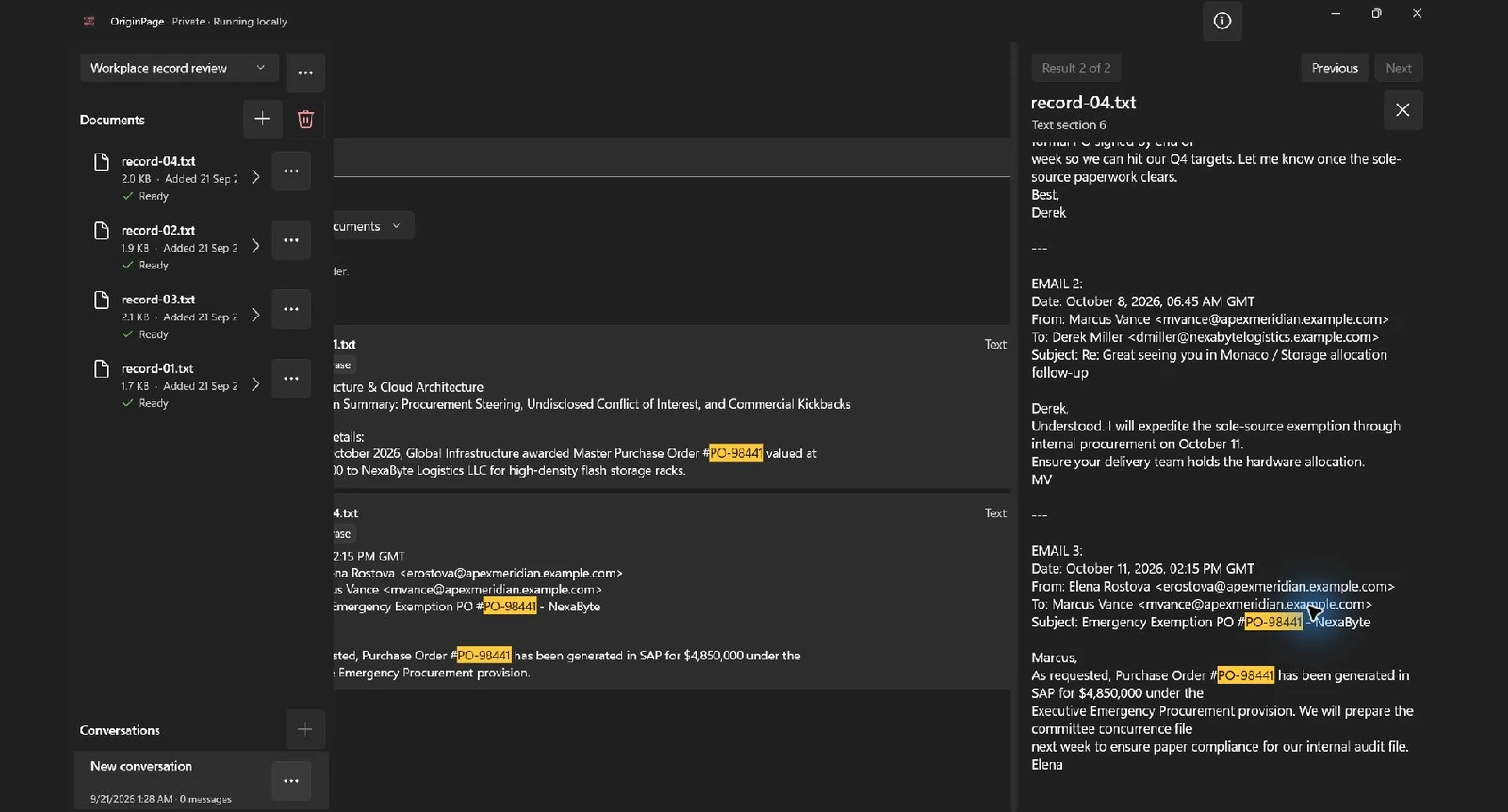
In Search, try PO-98441 in Exact phrase mode, without adding quotation marks. Search each relevant file as well as the collection. If wording differs, try Keyword or Hybrid and inspect the returned passages. A missing result is a reason to check wording, scope, and extraction—not proof of absence.
Choose the records allowed to answer
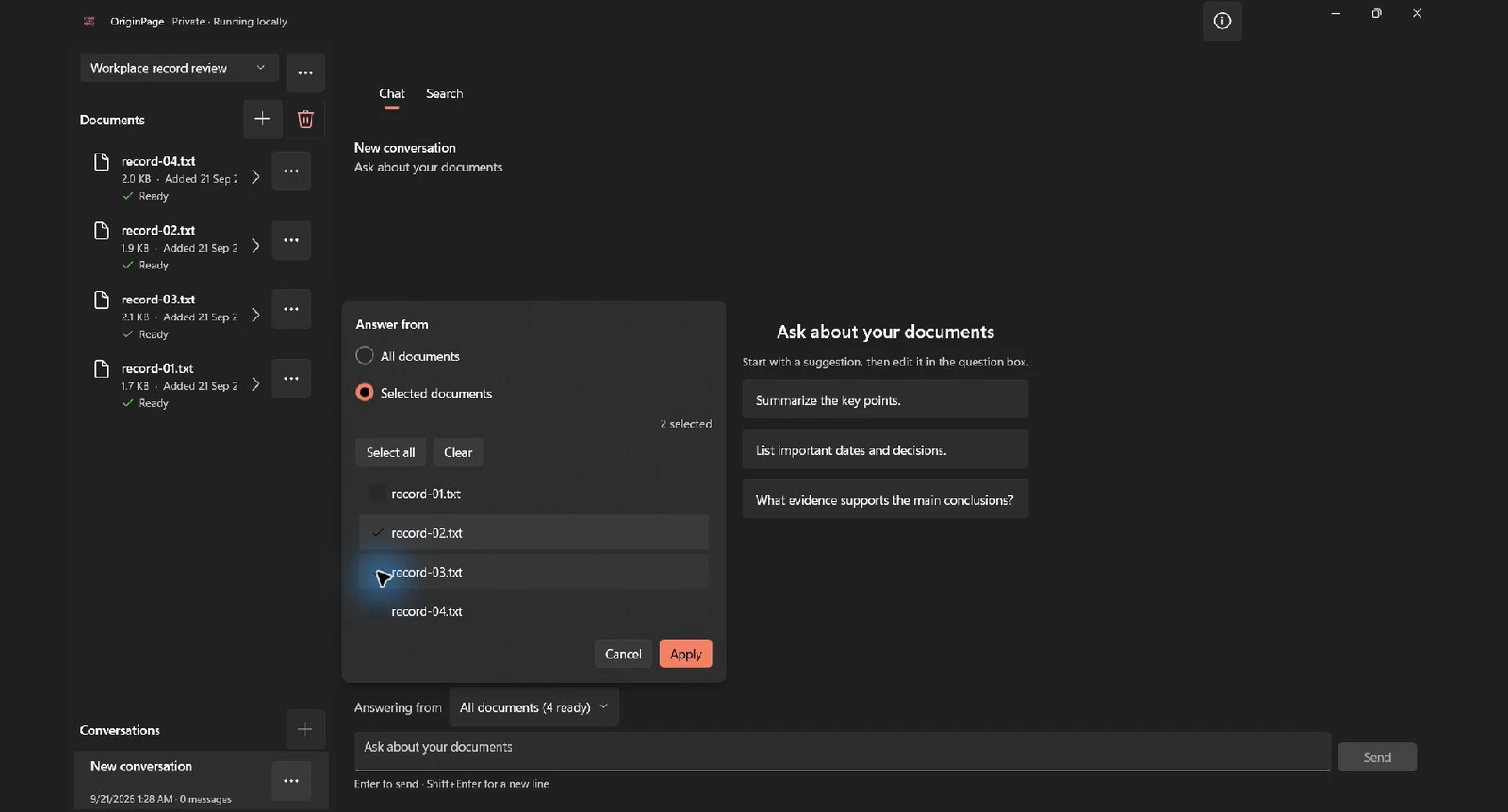
Select record-02.txt and record-03.txt for the witness comparison. Add record-04.txt only for the separate email cross-check. In Chat, use Answering from → Selected documents. Search filters and Question Scope are separate controls; setting one does not set the other.
Try this focused question:
Compare the two witness accounts of the procurement committee decision. Attribute each statement to its speaker, retain the dates, and list disagreements without deciding which witness is truthful.
Check the result against the source
The following is an editorial answer key derived from the fictional files, not a recorded model response. Answers may omit relevant evidence; use Direct Search and the original records to complete the review.
| Source | Account to verify | What it does not establish |
|---|---|---|
| Record 2: witness A | Describes a committee meeting and approval on October 14. | That the meeting took place. |
| Record 3: witness B | Says no meeting occurred and describes an earlier instruction to issue the PO. | That the instruction had valid authority. |
| Record 4: email 3 | Describes a PO generated on October 11 and a committee file to be prepared later. | The full approval history or the sender’s intent. |
The teaching records intentionally contain conflicting accounts, including different PO dates. Preserve those differences instead of smoothing them into one timeline. Search misses are not proof that an event did not happen. An interview memorandum is also not a verbatim recording.
Keep a review record
Build a chronology with event date, date recorded, author, exact passage, corroborating source, conflicting source, and next interview question. Keep allegations visibly attributed and give the reviewer a route back to every record.
When a question needs two sides, open evidence from both. Check the filename, retained passage, surrounding conditions, and the original source where layout matters. A saved citation supports inspection; it does not certify the source or the conclusion.
Processing and professional boundaries
Privilege and employment-data obligations depend on the facts and governing rules. Do not label a workspace “privileged” as though that creates legal protection. Use authorized records, approved device access, and the retention or legal-hold procedure for the matter.
OriginPage processes supported documents locally during ordinary use. The privacy statement explains the limits, including Windows services and local account access. For formats and supported behavior, see what OriginPage supports.
Method
Revised September 21, 2026. The two screenshots show the downloadable fictional records imported separately into the locally installed OriginPage 1.0.35.0 candidate. We ran the stated Exact phrase query, opened the shown source passage, and applied the illustrated Selected documents scope. These captures demonstrate retrieval and scope, not generated-answer quality or professional validation. The source inspector clips part of the main pane in this candidate; the screenshots preserve that observed layout. The exercise findings are an editorial answer key, not a captured model response.